E-commerce· AI Product Photography· Comfy UI — 2026
Ecommerce photo automation
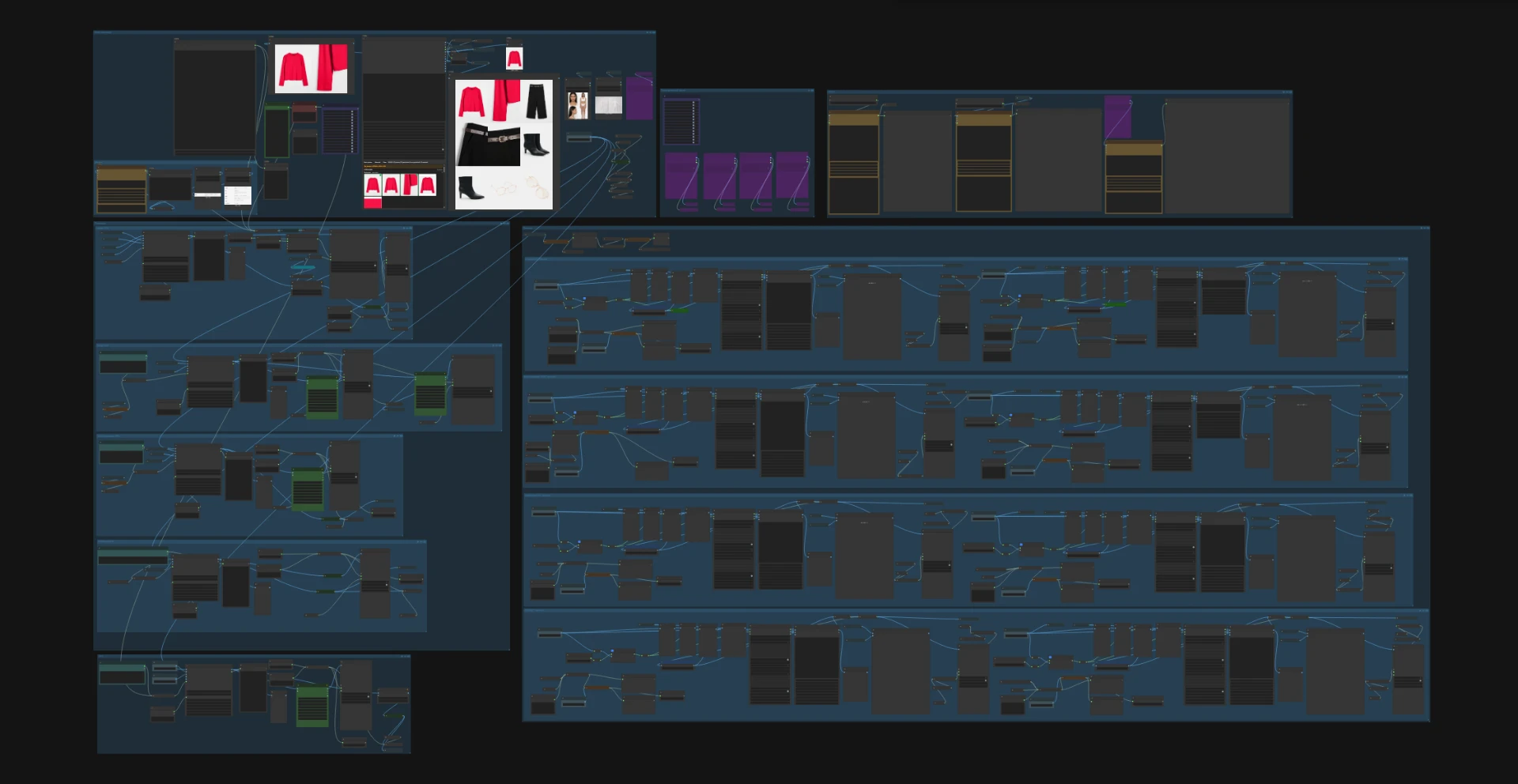
Automated AI photo pipeline for e-commerce product imagery.
The objective of the project was to develop an automated workflow for creating fashion photography using generative artificial intelligence and the ComfyUI environment.
The designed workflow integrates input material analysis, prompt preparation, AI model photography generation, product fidelity verification, and image upscaling.
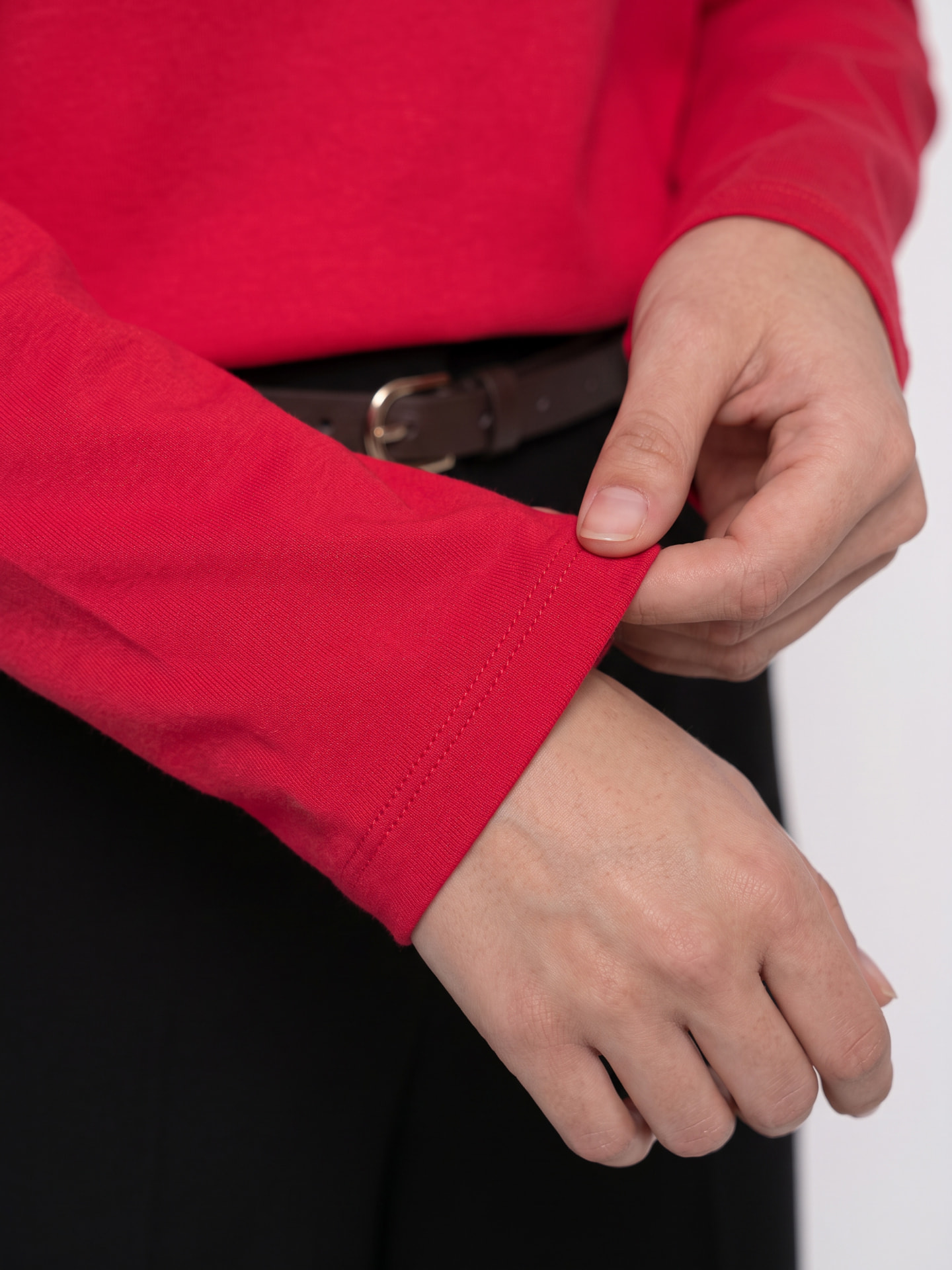
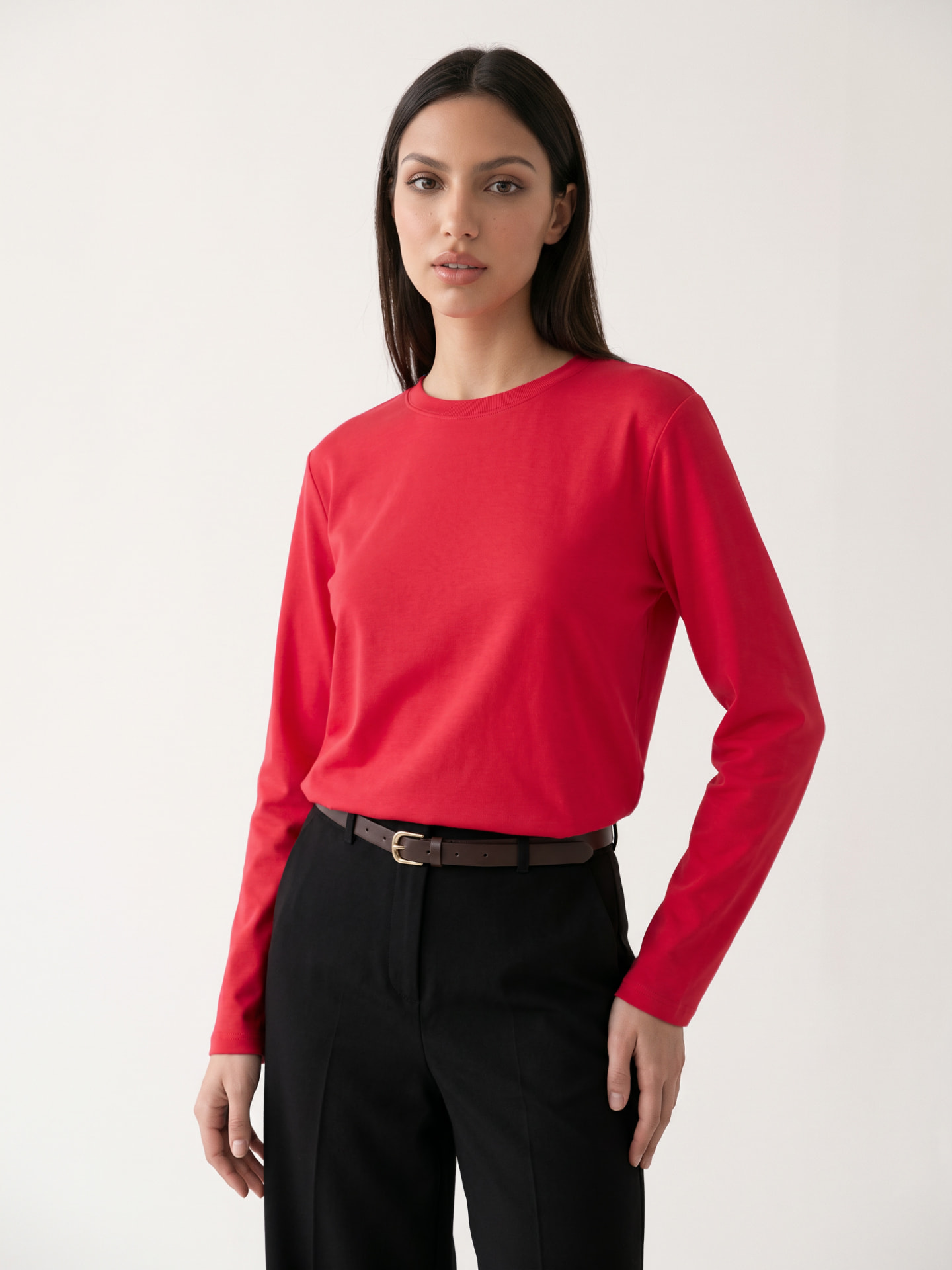
Gallery
3 images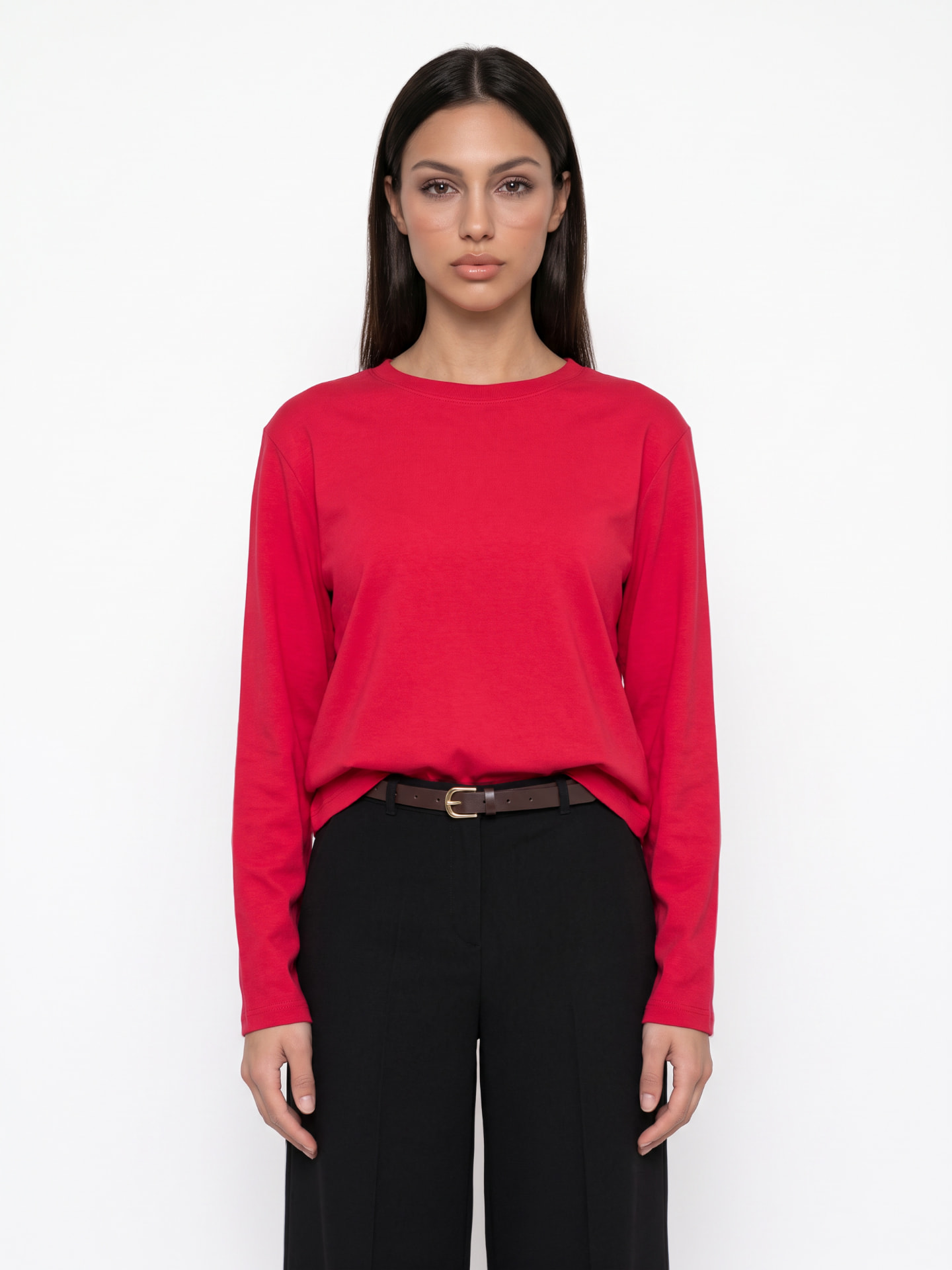
Case Study
Case Study: Automating E-commerce Fashion Photography Using ComfyUI
Design of an Automated System for Generating, Styling, and Upscaling E-commerce Fashion Photography
01
Executive Summary
The objective of the project was to develop an automated workflow for creating fashion photography using generative artificial intelligence and the ComfyUI environment.
The designed workflow integrates input material analysis, prompt preparation, AI model photography generation, product fidelity verification, and image upscaling.
The key principle behind the project is to automate repetitive tasks while maintaining control over product appearance and the quality of generated visual assets.
Solution Architecture
- 01Data Analysis and Prompt Preparation
- 02Production Panel — Configuration
- 03Production — AI Image Generation
- 04Upscaling
- 05Image Correction and Quality Control
Modular ComfyUI Architecture
02
Project Challenges
The traditional process of producing fashion photography for e-commerce requires significant resources, including models, stylists, photographers, photography studios, and post-production teams.
The introduction of generative AI creates opportunities to partially automate these activities but also introduces new technological challenges.
The main challenges identified include:
- 01Product fidelity: Generative models may alter garment cuts, seams, proportions, colors, or clothing details.
- 02Consistency of results: Achieving a consistent visual style across multiple generations requires effective management of reference images and prompts.
- 03Quality control: Generated visual assets require verification and targeted corrections.
- 04Scalability: Product-specific manual operations limit the potential for automation.
- 05Process integration: Individual AI operations should form a single, structured pipeline rather than function as independent tools.
03
Solution — Four Workflow Stages
Stage 1. Product Analysis and Instruction Preparation
Based on the provided reference materials, multimodal AI models analyze visual characteristics and generate structured descriptions.
The system includes:
- 01Analysis of products and their visual characteristics.
- 02Identification of garments, colors, and construction details.
- 03Preparation of instructions for subsequent workflow stages.
- 04Generation of descriptions used by image-generation models.
- 05Batch processing of input files.
Key benefit
Separating product recognition from image generation provides greater control over the instructions passed to subsequent models.
Stage 2. Production Panel — AI Session Configuration
The second module serves as the central control interface for the production process.
The workflow includes components that allow operators to select reference materials, models, styling options, and generation parameters.
Main Panel Components
| Component | Function |
|---|---|
| Product Selection | Selection of input materials and garment references |
| Model Selection | Selection of the fashion model |
| Garment Configuration | Definition of garment cuts and styles |
| Prompts | Configuration of image-generation instructions |
| Parameters | Configuration of generation settings |
Key benefit
The operator is provided with a structured control panel, reducing the need to manually manage individual connections within ComfyUI.
Stage 3. Production — AI Fashion Photography Generation
The main production module is responsible for generating fashion photographs based on reference materials and predefined prompts.
In the presented configuration, the generative model receives a set of input images along with instructions describing the expected output.
The process includes:
- 1Retrieving product, model, and styling references.
- 2Building image-generation instructions.
- 3Passing the input data to the Nano Banana model.
- 4Generating multiple photography variations.
- 5Previewing the results and saving files using standardized naming conventions.
The workflow also includes mechanisms for automatically generating filenames, combining text inputs, resizing images, and saving generated assets.
Key benefit
Combining visual references with structured prompts enables the creation of controlled photography variations within a unified production workflow.
Stage 4. Upscaling — Refinement of Generated Images
The final module focuses on improving the quality of generated images, with particular emphasis on maintaining product fidelity.
This is a critical component of the overall system because generative models may reproduce the composition of a photograph correctly while unintentionally altering garment details.
The upscaling module includes:
- 01Segmentation and masking of selected products.
- 02Preparation of specific image regions for localized editing.
- 03Use of inpainting to correct selected elements.
- 04Mask blurring and processing operations.
- 05Generation of corrected image variations.
- 06Comparison of images before and after upscaling.
An important feature of this stage is the ability to limit modifications to selected areas of an image instead of regenerating the entire photograph.
Key benefit
The upscaling stage acts as an additional quality-control layer, allowing errors introduced by the generative model to be corrected while preserving as much of the previously generated image as possible.
04
Technical Architecture
The project is built using ComfyUI, a visual, modular workflow environment in which individual components are responsible for specialized operations.
05
Key Design Principles
Modularity
Separating analysis, configuration, production, and upscaling into dedicated modules makes the complex workflow easier to manage.
Product Fidelity Control
The use of reference images, structured prompts, and masks helps minimize unwanted changes to garment appearance.
Production Standardization
Standardized parameters and file management practices support consistency and repeatability across production runs.
Iterative Quality Improvement
Selected image regions can be edited repeatedly without restarting the entire generation process.
06
Potential Business Value
Developing a standardized set of instructions creates the foundation for full workflow automation.
The project demonstrates how generative AI can be integrated into the production of visual assets for e-commerce.
Faster Production
Potential reduction in the time required to prepare selected visual assets.
More Variations
Ability to generate multiple product angles, compositions, and styling variations.
Automation
Reduction of repetitive tasks related to prompt management and file handling.
Scalability
A foundation for processing larger volumes of products through a standardized workflow.
These benefits represent the potential value of the solution rather than verified quantitative results. Validation will require comparing production time, costs, and image quality against the existing photography workflow.
07
Limitations and Areas for Further Development
Despite its significant automation potential, generative AI technology still requires quality control, particularly in e-commerce photography, where accurate product representation is essential.
Future development of the solution may include automated detection of differences between reference products and generated images, image quality assessment, more advanced session management, and support for larger product batches.
Another important area of development is measuring workflow efficiency and identifying which garment categories can be processed with minimal operator intervention.
08
Conclusion
The project demonstrates how generative artificial intelligence can be used not merely as a standalone image-generation tool, but as an integrated production system.
The project's primary value lies in establishing an architecture that enables further automation of e-commerce fashion photography, with a strong emphasis on quality control and accurate product representation.
Next project
Diverse →